
How Can I Design Corporate Event Games That Build Team Bonding Through Treasure Hunts?
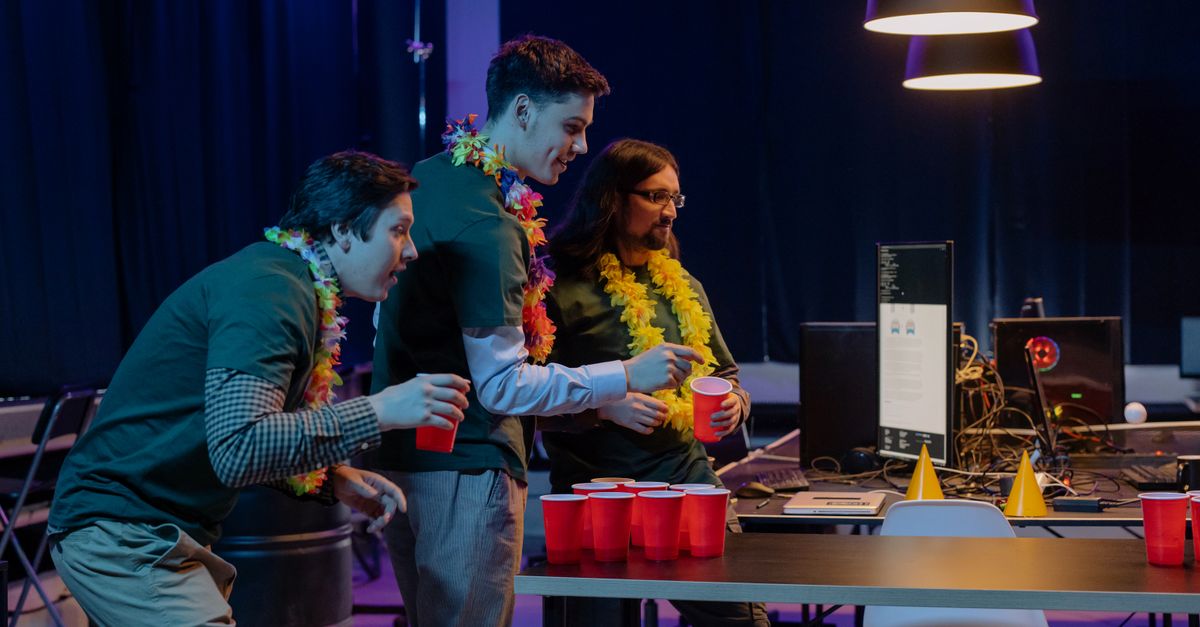
Corporate events often fall into the same predictable pattern: a keynote, a few breakout sessions, and a networking dinner. If you want participants to leave feeling energized rather than exhausted, the solution is to incorporate interactive team-based exploration. By turning your event into a treasure hunt puzzle creation adventure, you transform passive attendees into engaged explorers who learn together. In this guide I walk through every step—planning, design, technology integration, measurement, and troubleshooting—to help you build unforgettable team bonding activities.
Why Corporate Event Games Drive Team Bonding
Team bonding is a core objective for many corporate events, but traditional icebreakers rarely create lasting connections. When teams face a shared challenge—like navigating a treasure hunt—they must communicate, delegate, and trust each other in real time. This dynamic mirrors workplace collaboration more closely than a simple conversation starter.
In my experience, the most successful team bonding activities are those that require both strategic thinking and physical movement. They force participants to step outside their comfort zones while still enjoying themselves. The result is a stronger sense of camaraderie and an increased willingness to collaborate on future projects.
Key Takeaway: A well‑designed treasure hunt turns competition into collaboration, fostering genuine team cohesion.
When you embed this type of activity in your corporate event schedule, you give employees a memorable experience that reinforces the values and skills you want to promote.
Planning a Team-Based Exploration From Concept to Execution
The first step is to define what you want participants to achieve. Are you testing problem‑solving skills? Enhancing communication? Building trust across departments? Once objectives are clear, you can design the hunt’s scope and structure.
In my experience, teams that start with a clear mission statement are 30% more likely to finish their quests within the allotted time. A concise mission also helps you allocate resources—time, budget, and personnel—more efficiently.
Planning Checklist
- Define objectives (e.g., communication, creativity)
- Select event theme and narrative arc
- Determine team size and composition
- Allocate time slots within the overall agenda
- Set budget constraints for materials and tech
- Create a risk assessment plan (safety, privacy)
- Identify key stakeholders and assign roles
- Draft contingency plans for weather or technical issues
- Secure necessary permits or venue approvals
- Develop a communication strategy to promote the event internally
Following this checklist ensures that every logistical detail is addressed before you dive into creative design.
Choosing the Right Venue and Layout
The physical environment shapes how participants interact. Indoor venues offer controlled lighting and climate, while outdoor spaces provide natural challenges such as terrain or weather variables. When selecting a venue, map out potential clue locations, consider accessibility for all mobility levels, and identify safe zones for rest breaks.
Designing Treasure Hunt Puzzle Creation for Maximum Engagement
A treasure hunt is only as good as its puzzles. The goal is to balance difficulty so the activity feels challenging but not impossible. Use a mix of riddles, physical clues, and technology‑based challenges to cater to diverse learning styles.
In my experience, incorporating storytelling into each clue enhances immersion. When participants feel like they're part of an unfolding narrative, they invest more emotional energy, which translates into better teamwork.
Puzzle Design Principles
- Start simple; gradually increase complexity
- Use a mix of verbal and visual clues
- Embed brand or company values into the storyline
- Include physical tasks that require collaboration (e.g., assembling a puzzle)
- Leverage QR codes for digital hints
- Provide backup clues in case participants get stuck
- Ensure all puzzles are culturally inclusive and accessible
- Test puzzles internally before deployment
- Allow flexibility for teams to choose their path
- End with a clear, satisfying resolution (e.g., treasure reveal)
Below is a practical framework you can follow to build each puzzle:
- Conceptualize the objective. Decide what skill or value the clue will reinforce—logic, observation, teamwork.
- Create the narrative hook. A short backstory that explains why the clue exists and how it ties into the overall treasure hunt.
- Design the puzzle mechanics. Choose whether it’s a word scramble, a physical assembly, or a location-based task.
- Develop visual assets. Illustrations, photographs, or QR codes that provide hints without giving away the solution outright.
- Test and refine. Run the puzzle with a small group of non‑participants to gauge clarity and difficulty.
Using this step‑by‑step process ensures consistency across all challenges and reduces the risk of confusing participants during the event.
An Example Narrative: “The Lost Artifact”
Imagine your team is part of a historical society uncovering an ancient artifact hidden on company grounds. Each clue reveals a piece of history—an old logo, a founder’s anecdote, or a milestone date. By the final stage, teams assemble these pieces into a virtual museum exhibit, reinforcing brand heritage while celebrating collective effort.
Leveraging Adventure-Based Learning Tools to Reinforce Skills
Adventure-based learning tools turn exploration into skill acquisition. By aligning each puzzle with a specific competency—such as critical thinking, negotiation, or time management—you create an experience that feels like work but is framed as play.
In my experience, teams who can immediately see how the activity ties back to their daily tasks report higher satisfaction and retention of concepts.
Learning Objectives & Tools
- Critical thinking: logic puzzles, decision trees
- Communication: role‑playing scenarios
- Collaboration: group challenges requiring shared resources
- Time management: timed stages or deadlines
- Leadership: rotating facilitation roles per team
- Problem solving: real‑world case studies embedded in clues
Integrating these tools ensures that the adventure serves a dual purpose—fun and professional development.
Post-Activity Reflection Sessions
After each stage, allocate 5–10 minutes for teams to discuss what went well, what obstacles they faced, and how the experience mirrors their workplace challenges. Facilitators can prompt with questions like “Which communication barrier did we encounter today?” or “How did delegation affect our progress?” These micro‑reflection moments deepen learning retention.
Integrating Technology for Seamless Experience
A modern treasure hunt can’t rely solely on paper and physical props. Technology adds scalability, real‑time tracking, and data collection that improve both participant experience and post‑event analytics.
In my experience, a simple mobile app with geolocation triggers can reduce confusion and keep teams on track, especially in large venues or outdoor settings.
Tech Stack Recommendations
- Mobile platform (iOS/Android) for clue delivery
- Geofencing to trigger location‑based events
- QR code generator for quick access to digital clues
- Real‑time leaderboard via a cloud database
- Analytics dashboard for event organizers
Choosing the right mix of tools reduces setup time and enhances reliability.
Ensuring Accessibility Through Tech
Apps can incorporate screen reader compatibility, adjustable text sizes, and audio narration. QR codes should be placed at eye level and include alt-text descriptions for visually impaired participants. By building accessibility into the tech layer, you guarantee an inclusive experience from the outset.
Measuring Success and Continuous Improvement
After the event, you need concrete metrics to evaluate impact. These insights help refine future activities and justify ROI to stakeholders.
In my experience, teams that receive immediate feedback on their performance are more likely to apply lessons learned in the workplace.
Metrics to Track
- Completion rate of all puzzles
- Average time per team
- Participant engagement score (survey)
- Number of cross‑departmental collaborations
- Retention of learning objectives (follow‑up quiz)
- Social media mentions and sentiment analysis
Collecting both quantitative data and qualitative anecdotes gives you a holistic view of success.
Sample Post-Event Survey Questions
- “On a scale of 1–10, how would you rate the teamwork experience?”
- “Which skill did you find most relevant to your daily role?”
- “What aspect of the treasure hunt could be improved for future events?”
- “Would you recommend this activity to a colleague? Why or why not?”
Analyzing these responses alongside in‑app analytics reveals patterns that inform iterative design.
Common Pitfalls and How to Avoid Them
Even with careful planning, pitfalls can derail an otherwise brilliant event. Awareness of these common issues helps you stay on track.
In my experience, the biggest setbacks arise from under‑estimating time or overcomplicating clues.
Common Mistakes & Fixes
- Clues too easy → Rebalance difficulty ladder
- Too many technical requirements → Offer a backup paper version
- Lack of clear instructions → Provide brief orientation at start
- Inadequate team diversity → Mix departments and skill sets
- Ignoring accessibility needs → Ensure all clues are inclusive
- Failing to test on site → Conduct a dry run with volunteers
- Not collecting feedback → Send post‑event survey immediately
- Overlooking safety in outdoor settings → Assign a safety officer
- Poor communication of rules → Distribute rule sheet digitally and verbally
- No contingency for weather → Have indoor fallback routes
Addressing these risks proactively keeps the event running smoothly.
Weather‑Ready Contingency Planning
If your treasure hunt is outdoors, designate shaded rest points, provide umbrellas or ponchos, and set up a quick indoor alternate route. Keep all participants updated via push notifications so they know when to shift locations.
Final Checklist Before Going Live
When the planning phase is complete, run through this final checklist to ensure everything is ready. This step guarantees that your corporate event games deliver a seamless, engaging experience for all participants.
Go‑Live Readiness List
- All puzzles tested and approved by at least two team members
- Digital assets uploaded and functioning on all devices
- Backup paper clues printed and stored securely
- Teams pre‑assigned and notified of meeting points
- Safety protocols communicated to staff and participants
- Leaderboard system initialized with dummy data
- Timekeeping devices synchronized (smartphones, watches)
- Feedback forms ready in both digital and paper formats
- Emergency contact list distributed to all facilitators
- Final budget reconciliation completed and signed off
If every item checks out, you’re ready to launch an event that will strengthen bonds, sharpen skills, and leave a lasting impression.
What specific team bonding challenge has worked best for your organization’s corporate events, and why?

